Connected Tools
Connect third-party services to extend what your AI can do
Last updated: July 6, 2026
This feature is in Beta and lives under Settings → Connected Tools (shown as "Integrations" below for historical reasons — the in-app label is "Connected Tools").
Overview
Slashspace can connect to external services — Gmail, GitHub, Slack, Notion, Linear, Google Calendar, and more — through Composio. Once connected, your AI can read, write, and take actions across those services directly from chat.
Privacy Boundary
The settings page states the boundary up front:
Composio stores connected-account credentials on its backend. Slashspace never persists Composio API keys, OAuth secrets, MCP URLs, or MCP headers in your local canvas files. Tool schemas, tool calls, and tool results may be sent to the selected AI provider when tools are used.
In short: your service credentials live with Composio, never in your canvas files — but the content a tool returns can flow to whichever AI model you're chatting with.
Connecting a Service
You don't need to set anything up ahead of time. Just ask the AI to do something that involves an external service:
"Create a GitHub issue for this bug"
If the service isn't connected yet, the AI will respond with a connection link. Click it, authorize the service, confirm back in chat, and the AI will carry on with your request.
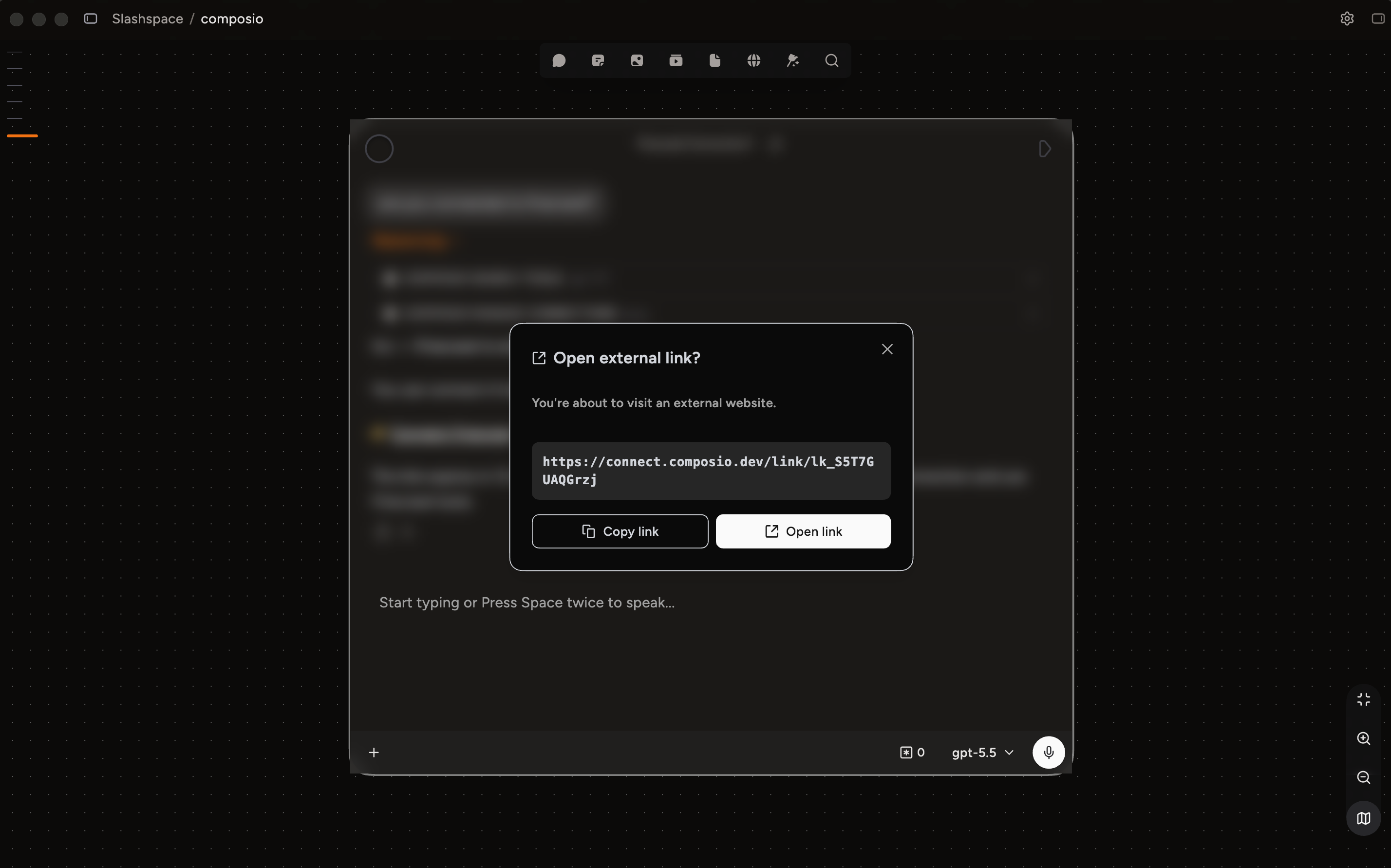
Any AI model that supports tool calls (all Rabbitholes models do this out of the box) can trigger this flow automatically.
If you haven't connected anything yet, the settings page shows an empty state: "Ask chat to use a tool such as Gmail, GitHub, Slack, or Notion. If authentication is needed, it will open a Composio Connect Link for that account."
What You Can Do
Once a service is connected, just ask naturally:
- "Summarize my unread emails from today"
- "Create a GitHub issue for this bug"
- "Send a Slack message to #engineering with today's standup notes"
- "Add this meeting to my Google Calendar"
The AI figures out which service to use and handles everything behind the scenes.
Managing Connections
Go to Settings → Connected Tools to see all your connected accounts. Each connection card shows the service name, the account ID, and a status pill:
- ACTIVE (green) — connected and ready to use
- INITIATED (amber) — authorization was started but not finished
- FAILED / EXPIRED / REVOKED (red) — the connection no longer works
Each card has two buttons:
-
Reconnect — opens a fresh Composio Connect Link in your browser to re-authorize the account. Use this for amber or red statuses.
-
Disconnect — removes the connection. The AI won't be able to use that account until you connect it again.
The Refresh button at the top of the page re-fetches the latest connection statuses.
You can also connect multiple accounts for the same service (e.g., work and personal Gmail). The AI will pick the right one based on context, or ask you which to use.
Available Services
There are 500+ services available, including:
| Category | Examples |
|---|---|
| Communication | Gmail, Slack, Discord, Microsoft Teams |
| Development | GitHub, GitLab, Linear, Jira |
| Productivity | Google Calendar, Notion, Todoist |
| Storage | Google Drive, Dropbox, OneDrive |
| CRM | HubSpot, Salesforce |
| Social | Twitter/X, LinkedIn |
Troubleshooting
- Connection stopped working — check its status pill in Settings → Connected Tools; if it's red, click Reconnect. OAuth tokens refresh automatically, but disconnecting and reconnecting fixes a stuck account.
- Rate limits — some services limit how many requests can be made in a short period. If you hit a limit, wait a few minutes and try again.
More help in Troubleshooting & Support.
Use cases
- Inbox triage on a canvas: connect Gmail once, then ask chat each morning to summarize unread email and draft replies.
- Ship bugs straight from research: while investigating an issue in a chat node, have the AI file the GitHub or Linear issue with full context.
- Work and personal side by side: connect both Gmail accounts and let the AI ask which one to use when it's ambiguous.
- Meeting logistics: ask the AI to find a free slot and add the event to Google Calendar without leaving your canvas.