An AI canvas app puts your notes, sources and AI chats on one infinite board, so you can see your whole problem at once instead of scrolling up a single chat thread. The best ones do more than add a chatbot to a whiteboard. They let the AI read what is on the board, and they let you decide what it reads.
That last part is where these apps differ most. Some AI reads the whole board, some reads only what you select, and some reads only what you connect to it. Some run one built-in model, while others let you bring your own keys, your own subscription or a model on your own computer. This guide compares eight AI canvas apps on exactly those points, with current prices, and says plainly who each one is for.
Disclosure: we make Slashspace, one of the eight apps. Praneeth, Slashspace's founder, has used six of the eight apps himself. We've described Slashspace with the same limits we list for everyone else, and the order of the list below is not a ranking.
Quick picks
- Deep solo research with control over context and models: Slashspace
- A hosted canvas with AI media: Flowith
- A long-term knowledge base on every device: Heptabase
- Creative planning: Storyflow
- Team workshops: Miro
- Turning research into content and ads: Poppy AI
- Diagrams and mind maps on a free plan: Whimsical or FigJam
How did we choose and judge these AI canvas apps?
Praneeth, Slashspace's founder, has used six of the eight apps himself: Slashspace, Flowith, Heptabase, Miro, Whimsical and FigJam. He hasn't used Poppy AI or Storyflow, so those two are described from their own documentation and pricing pages. For all eight, the features and prices below come from each company's own homepage, feature pages, docs and pricing pages, which we read on October 24, 2026. Prices change often, and every one links to its source at the end.
To make the list, an app had to give you a free-form visual canvas with AI built in, and still be open to new users. We judged each one on six questions:
- What can the AI see? The whole board, a selection, or only what you connect to it.
- Can you control the AI's context? Being able to choose what each answer reads matters more on a big board than on a small one.
- Which models can you use? One built-in model, a menu of hosted models, your own API keys, or local models.
- Where does your work live? In the company's cloud, or in files on your own computer.
- Which platforms? Browser, desktop, mobile.
- What does it cost, and is there a free plan?
There are two kinds of "AI canvas" in search results right now. One is the generative media canvas, where nodes chain image and video models together. The other is the thinking canvas, where you lay out ideas, sources and conversations. This guide is about the second kind. If you want the first, see the note near the end.
What are the best AI canvas apps in 2026?
Here is the short version, grouped by what each app is built for.
 Slashspace: a desktop AI canvas for deep research and learning, where you connect sources to chats and branch any answer.
 Flowith: a hosted AI canvas with many models plus image, video and agent tools.
 Heptabase: a visual knowledge base of cards and whiteboards, with an AI agent and apps on every platform.
 Storyflow: a browser canvas for creative projects and planning, where the AI reads your active board.
 Miro: the team whiteboard, now with AI that can use the board as context.
 Poppy AI: a board for content marketers that turns research into scripts and ads.
 Whimsical: diagrams, flowcharts and mind maps, generated with AI.
 FigJam: Figma's whiteboard, with AI for templates, sorting and summaries.
How do these AI canvas apps compare?
| App | What the AI reads | Models | Where your work lives | Platforms | Price |
|---|---|---|---|---|---|
| Slashspace | What you connect to each chat | Hosted models, your own API keys, Claude or ChatGPT subscription, local models via Ollama | Folders on your computer | Mac, Windows, Linux | $89/year (3-day card-required trial) or $249 one-time lifetime |
| Flowith | The node you follow up from, or nodes you quote | 40+ hosted models | Cloud | Browser | Free Starter; Pro $19.90/month |
| Heptabase | Your sources, notes and cards | Gemini on Pro; GPT, Claude and Gemini on Premium | Cloud sync, with offline access | Mac, Windows, Linux, iOS, Android | Pro $8.99/month billed yearly; 7-day trial |
| Storyflow | Your active board, plus attached documents and boards | Built in | Cloud | Browser | Plus $7.99/month billed yearly; free plan announced for late 2026 |
| Miro | The canvas, as Miro describes it | Built in, on AI credits | Cloud | Browser (see site for apps) | Free (3 editable boards); Starter $8/member/month billed yearly |
| Poppy AI | The videos, ads, PDFs and links on your board | Poppy's own model lineup | Cloud | Browser | $1 for 7 days, then Base $399/year |
| Whimsical | Your prompt, and questions about your workspace | Built in, on AI credits | Cloud | Browser, Mac and Windows apps | Free; Pro $10/editor/month billed yearly |
| FigJam | Your prompt and the stickies you select | Built in, on AI credits | Cloud | Browser (see site for apps) | Free Starter; Collab seat from $3/month |
"What the AI reads" is each company's own description, not our test. Prices are the lowest paid tier on each pricing page on October 24, 2026; see each section for details.
Which AI canvas app is best for you?
- Researchers: Slashspace if you want to control exactly which sources each answer reads and keep your work as files on your own computer. Heptabase if you want a long-term knowledge base with PDF annotation and apps on your phone.
- Students: Heptabase for building a study base you keep for years. Whimsical or FigJam if you mostly need diagrams and mind maps and want a free plan.
- Polymaths and curious generalists: Slashspace, because branching lets you chase three tangents from one answer without losing the main thread. Flowith if you also want image and video generation in the same place.
- Business owners and teams: Miro for real-time team workshops. Storyflow for planning projects and campaigns on a shared board. Poppy AI if your main job is turning research into content and ads.
Slashspace
Slashspace is our app, a desktop AI canvas for long, exploratory work like research, learning and writing. Every chat, note and source is a node on an infinite canvas.
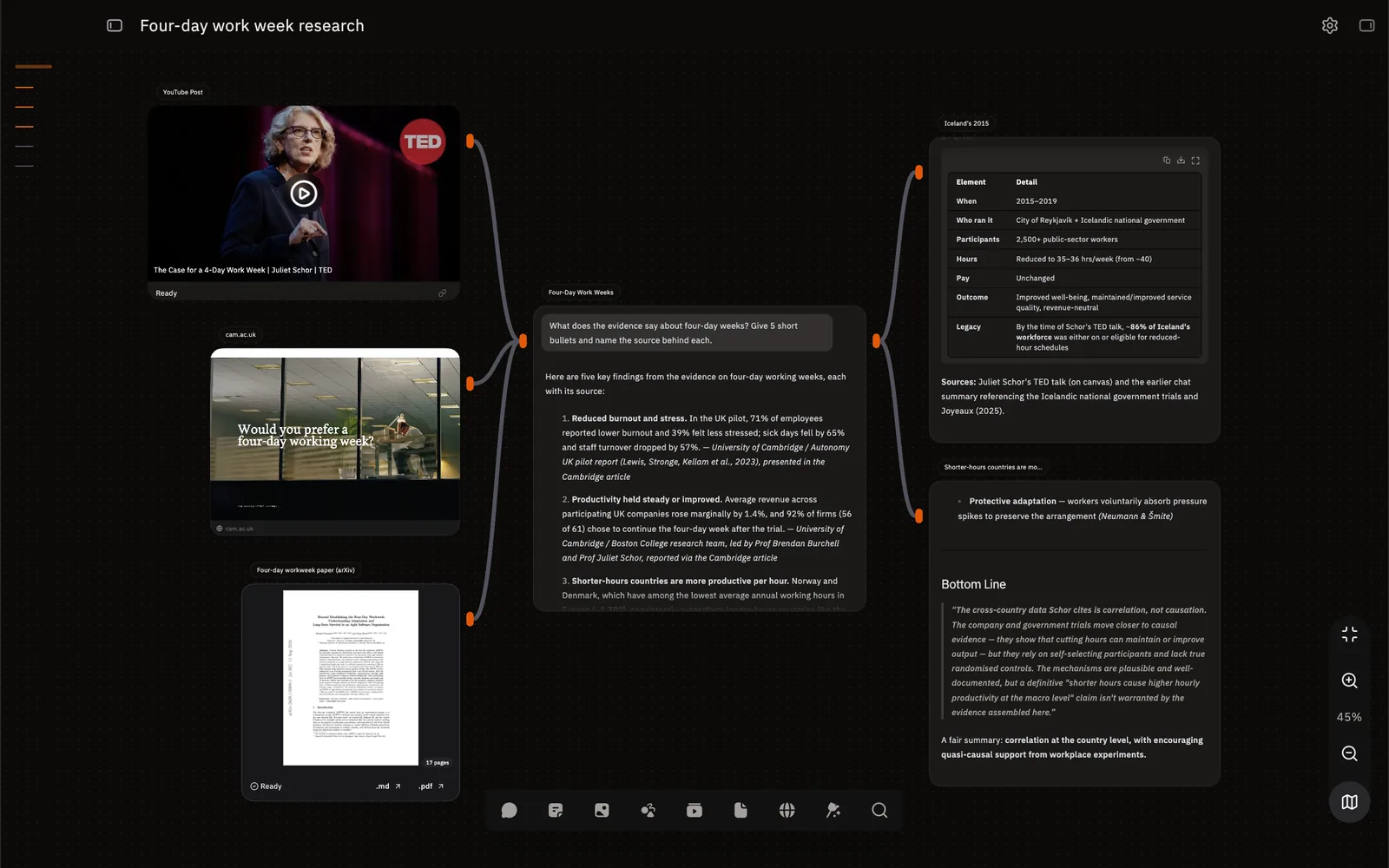
What its AI sees: only what you connect. You drag a line from a PDF, a web page or a note into a chat, and that chat reads it. Context follows chains, so a synthesis chat can read three sources while the side question next to it reads none of them. The connections docs explain how context flows.
What stands out:
- Branching: fork any chat into a new connected chat, or select one sentence in an answer and ask about it. Branches keep reading their parent, so you can follow a tangent and come back. See branching.
- Model choice per node: every chat node keeps its own model, so one canvas can put two models side by side on the same prompt. Models can come from Slashspace's hosted options, your own API keys, local models through Ollama, or a subscription you already pay for. Slashspace drives the official Claude Code and Codex CLIs on your computer, signed in with your own account. Details are in choosing a model.
- Your files: every canvas is a plain folder on your disk that you own and can back up (canvases and folders).
- Agent mode and connectors: chats can use tools, sub-agents and MCP servers when a task needs more than one answer.
Price: $89/year (3-day card-required trial) or $249 one-time lifetime. AI usage through your own keys, subscription or local models is paid to those providers.
Best for: researchers, students and polymaths who want to see the whole problem at once and decide what each answer reads.
Watch out for: it's a desktop app for Mac, Windows and Linux, with no web or mobile version. Quick Window, which lets you ask from any app, is Mac only for now. There's no free plan, and it's built for one person's deep work, not live team whiteboarding.
Flowith
Flowith is a hosted AI canvas. Every prompt and response becomes a node you can continue, branch from or reference later. You can follow up from one node, or quote several nodes in a single prompt to combine outputs from different branches.
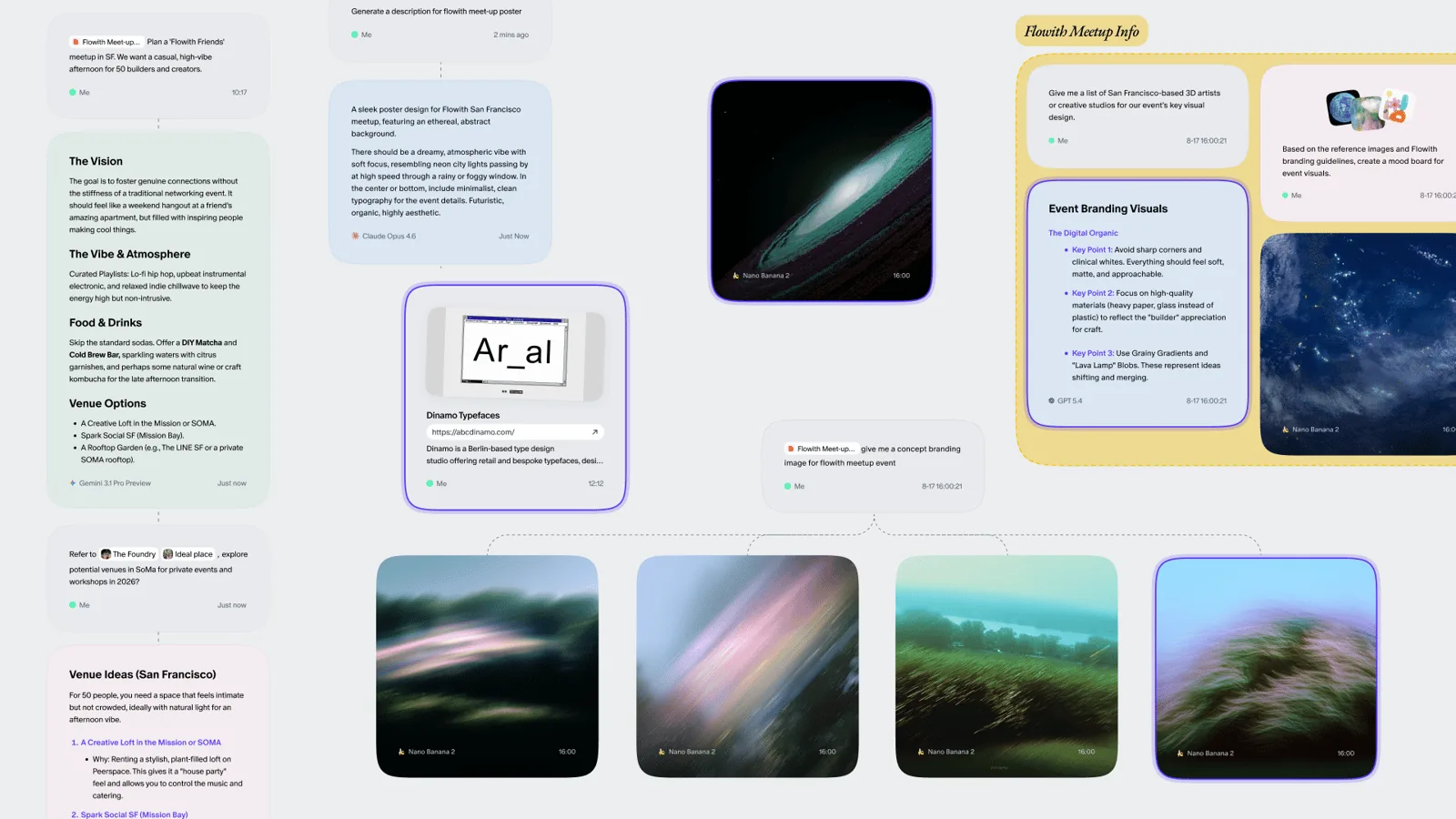
What stands out: a long list of hosted models (its pricing page says 40+), plus AI image, video, slides, website and deep research tools, and an agent called Neo. It all runs in the browser with nothing to install.
Price: a free Starter plan with a one-time credit allowance and limited models. Pro is $19.90 a month, or $214.92 a year billed yearly. Ultimate and Infinite tiers sit above it.
Best for: people who want one hosted app for AI chat on a canvas and AI media. Our Flowith comparison goes into more detail.
Watch out for: plans run on credits, and much of the pricing page is about image and video generations, so heavy media use costs more. Your canvases live in Flowith's cloud. We didn't find bring-your-own-key or local model options documented.
Heptabase
Heptabase is a visual knowledge base for students, researchers and lifelong learners. Notes live as cards you arrange on whiteboards, and the same card can appear on many boards.
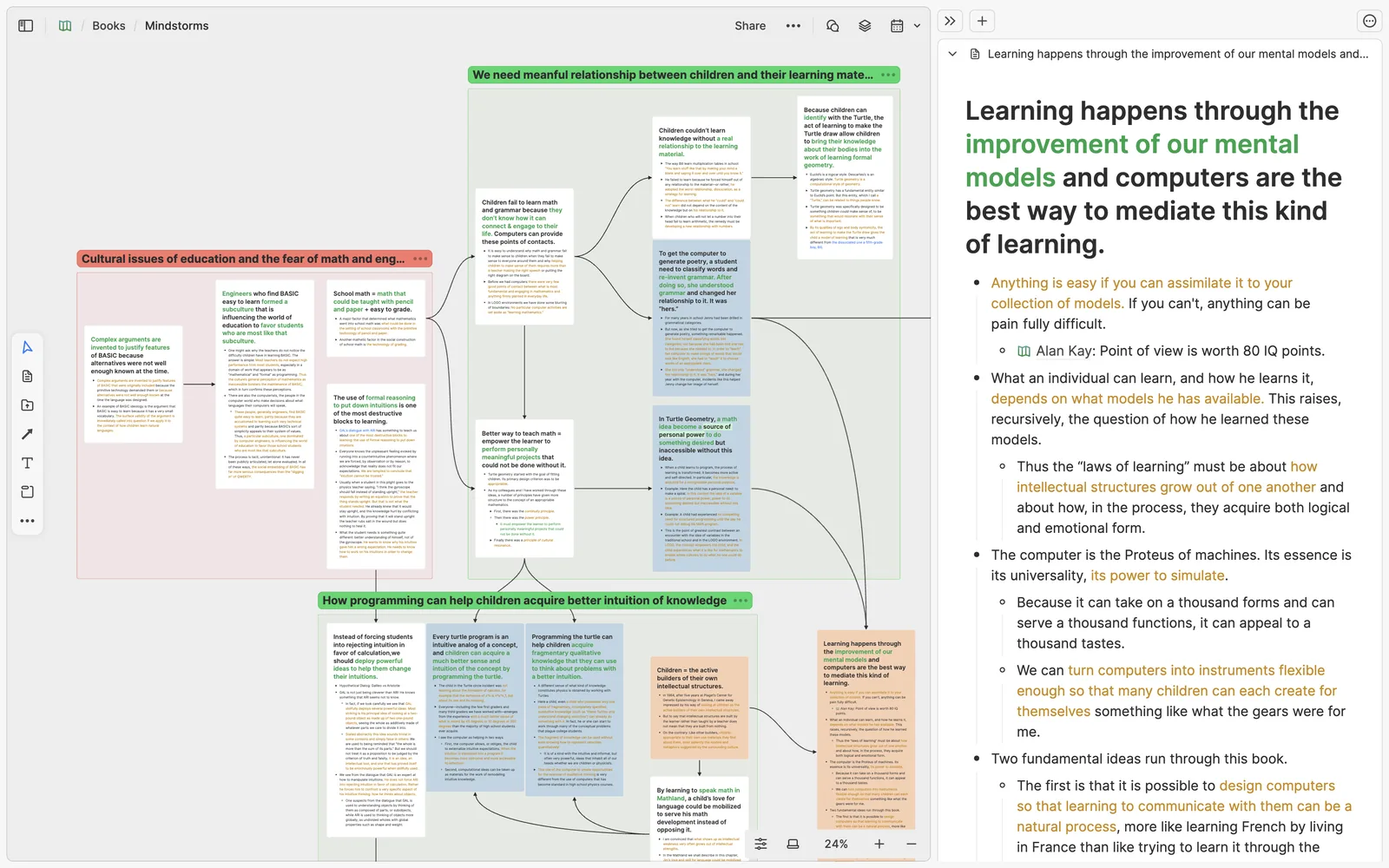
What stands out: PDF annotation, YouTube transcripts, a web clipper, Zotero and Readwise integrations, daily journals and bi-directional links. Its AI can explain sources, take notes and organize your knowledge base, and there's an AI tutor on higher plans. Heptabase also lists a CLI that works with Claude Code and Codex. It has offline access, free real-time collaboration for people you invite, and apps for Mac, Windows, Linux, iOS and Android.
Price: Pro is $8.99 a month billed yearly, Premium $17.99 and Premium+ $53.99, each billed yearly.
Best for: students and researchers who want a knowledge base they curate for years, on every device. See our Heptabase comparison.
Watch out for: the AI depends on your plan. Pro's AI agent uses Gemini models only, with 100 AI credits a month. Premium adds GPT and Claude. There's no permanent free plan, just a 7-day trial.
Storyflow
Storyflow is a browser-based AI canvas for planning, storyboards, moodboards and creative projects. You describe what you're working on, and its AI lays out cards, notes and groups across the board.
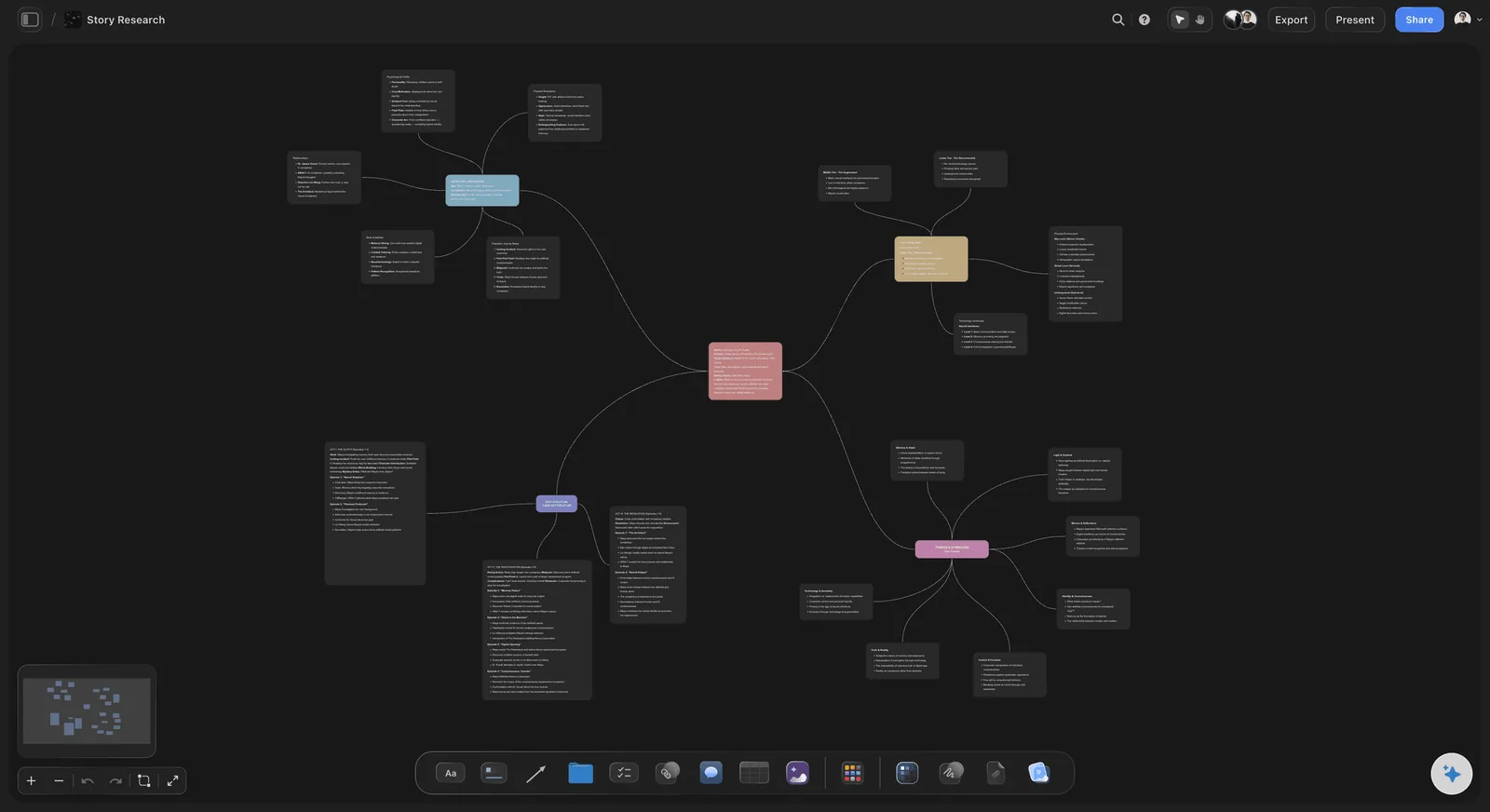
What its AI sees: Storyflow says its AI reads the board you have open, and you can attach up to five documents and three boards as extra context. It also has an MCP server, so Claude, ChatGPT, Gemini and Grok can build and read Storyflow boards from inside those assistants.
What stands out: a library of 200+ creative templates it calls Tactics (Hero's Journey, AIDA, StoryBrand and more), AI image generation on Pro, free collaboration for anyone a paid member invites, and image or PDF export.
Price: Plus is $7.99 a month billed yearly, Pro $14 and Max $39, each billed yearly.
Best for: creators, founders and small teams planning projects, campaigns or stories on a shared board.
Watch out for: Storyflow is in paid early access, so there's no free plan yet; it says one is coming before the end of 2026. It's cloud-only, and its own review notes that there's no local or offline option. We didn't find a way to pick models or bring your own keys inside the app.
Miro
Miro is the best-known collaborative whiteboard, and AI is now central to how it presents itself. Miro says you can use your entire canvas as a prompt, and its Sidekicks build frames, timelines, kanbans and diagrams on the board.
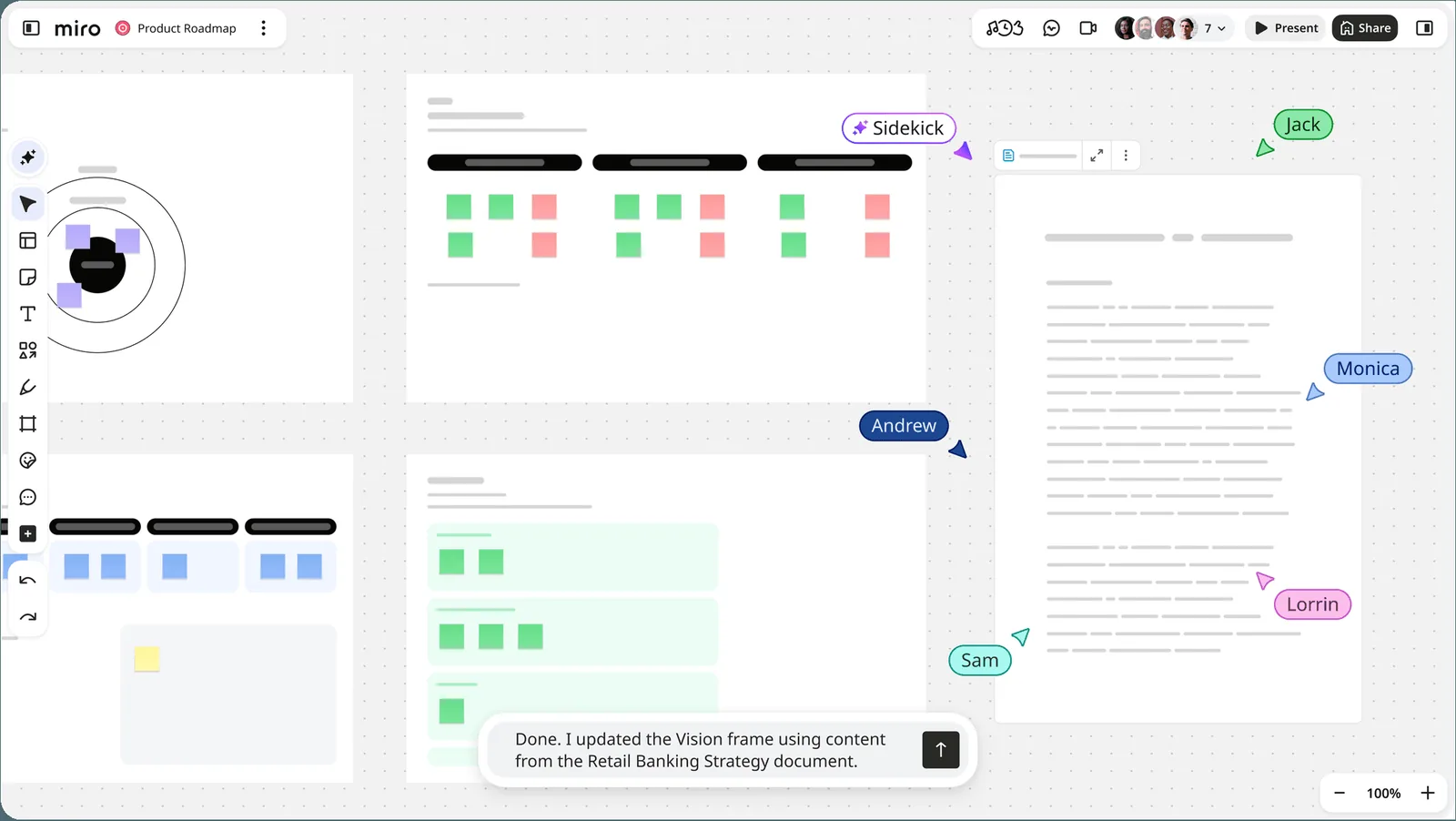
What stands out: real-time collaboration for large teams, 7000+ templates, docs, tables and slides on the canvas, AI workflows and agents on higher plans, and MCP connections to tools like Claude, Cursor and Copilot.
Price: Free, then Starter at $8 per member a month and Business at $20 per member a month, billed yearly.
Best for: teams running workshops, planning and retros together.
Watch out for: AI runs on credits per member per month: 10 on Free, 25 on Starter and 50 on Business. The free plan keeps only three boards editable. It's built for teams, which makes it a lot of tool for solo research.
Poppy AI
Poppy AI is a visual board built for creators, founders and marketers. You bring in videos, ads, web pages, PDFs, transcripts and competitor content, and Poppy helps you find hooks and patterns and turn them into scripts, ads, emails and landing pages in your voice.
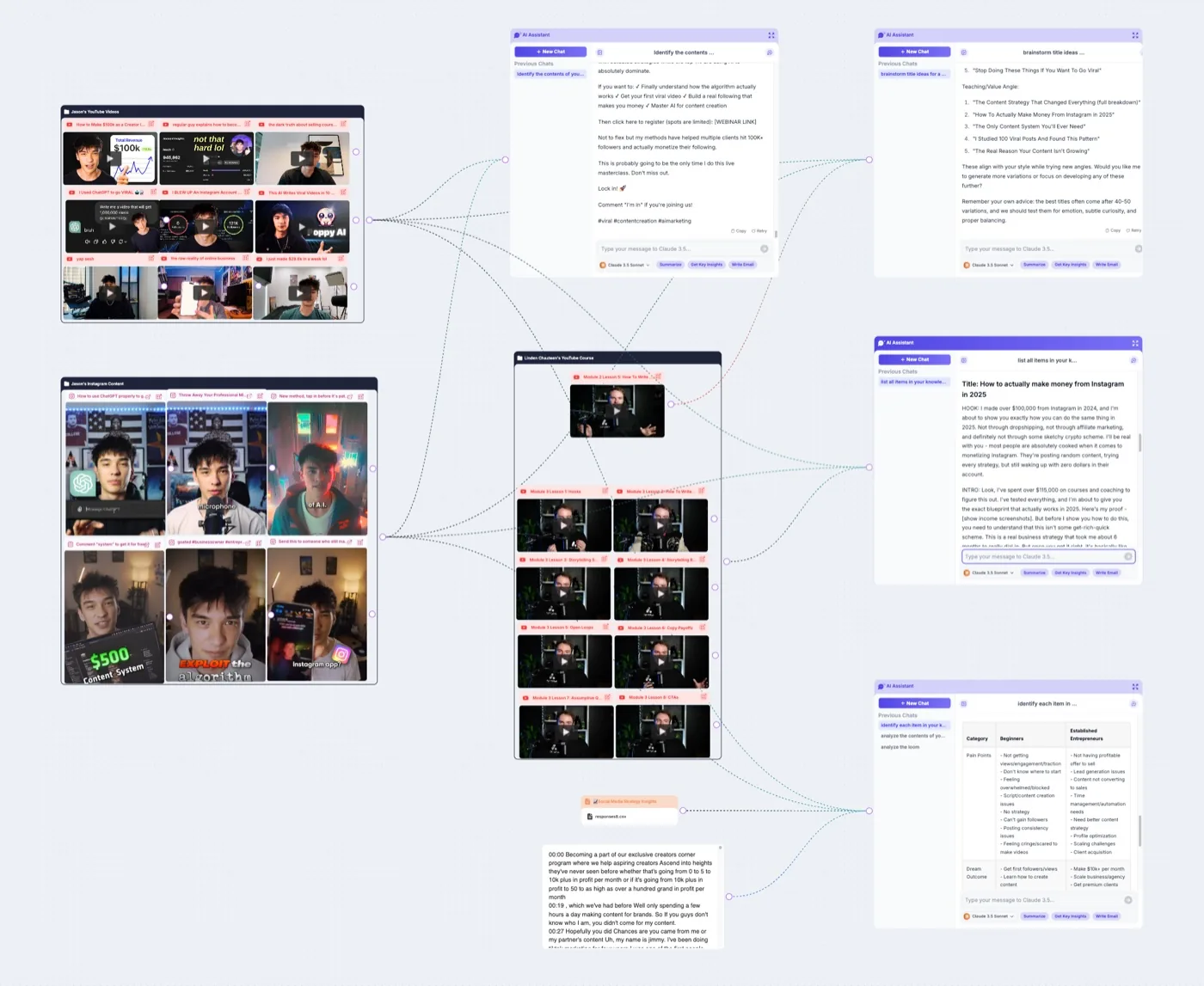
What stands out: it's focused on one job, content, and does it end to end, from research on the board to finished copy and images. It remembers your audience, offer and past content in one workspace.
Price: $1 for 7 days of full access, then Base at $33 a month billed yearly ($399 a year). Creator is $189 a month billed yearly. Poppy offers a 30-day money-back guarantee.
Best for: creators and marketing teams whose canvas work ends in content. See our Poppy AI comparison.
Watch out for: it's a content tool more than a general thinking canvas. Plans are credit-based, and the team plans are a big step up in price.
Whimsical
Whimsical is a canvas for diagrams, flowcharts, mind maps and wireframes. Its AI generates those from a prompt, and Whimsical Agent can answer questions about your workspace. A Whimsical MCP server lets Claude, ChatGPT, Cursor and Codex work with it too.
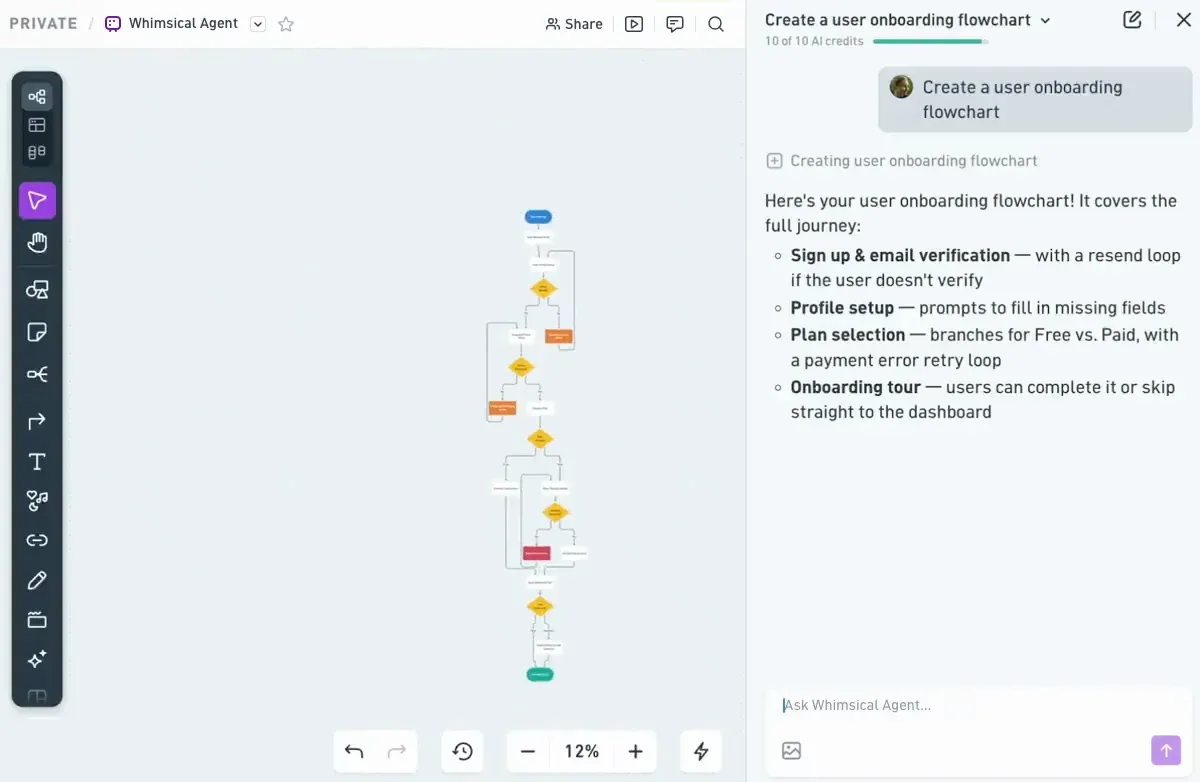
What stands out: clean, fast diagrams, AI mind maps that branch an idea out for you, and desktop apps for Mac and Windows.
Price: Free, then Pro at $10 per editor a month and Business at $20, billed yearly.
Best for: students and teams who think in flowcharts and mind maps.
Watch out for: it's built for structure and diagrams, not long conversations with sources. The free plan caps you at 50 board objects a month and 10 AI credits per member.
FigJam
FigJam is Figma's online whiteboard. FigJam AI generates templates for meetings, brainstorms and timelines from a prompt, sorts stickies into groups and summarizes them, and Jambot brings ChatGPT into the board for brainstorming.
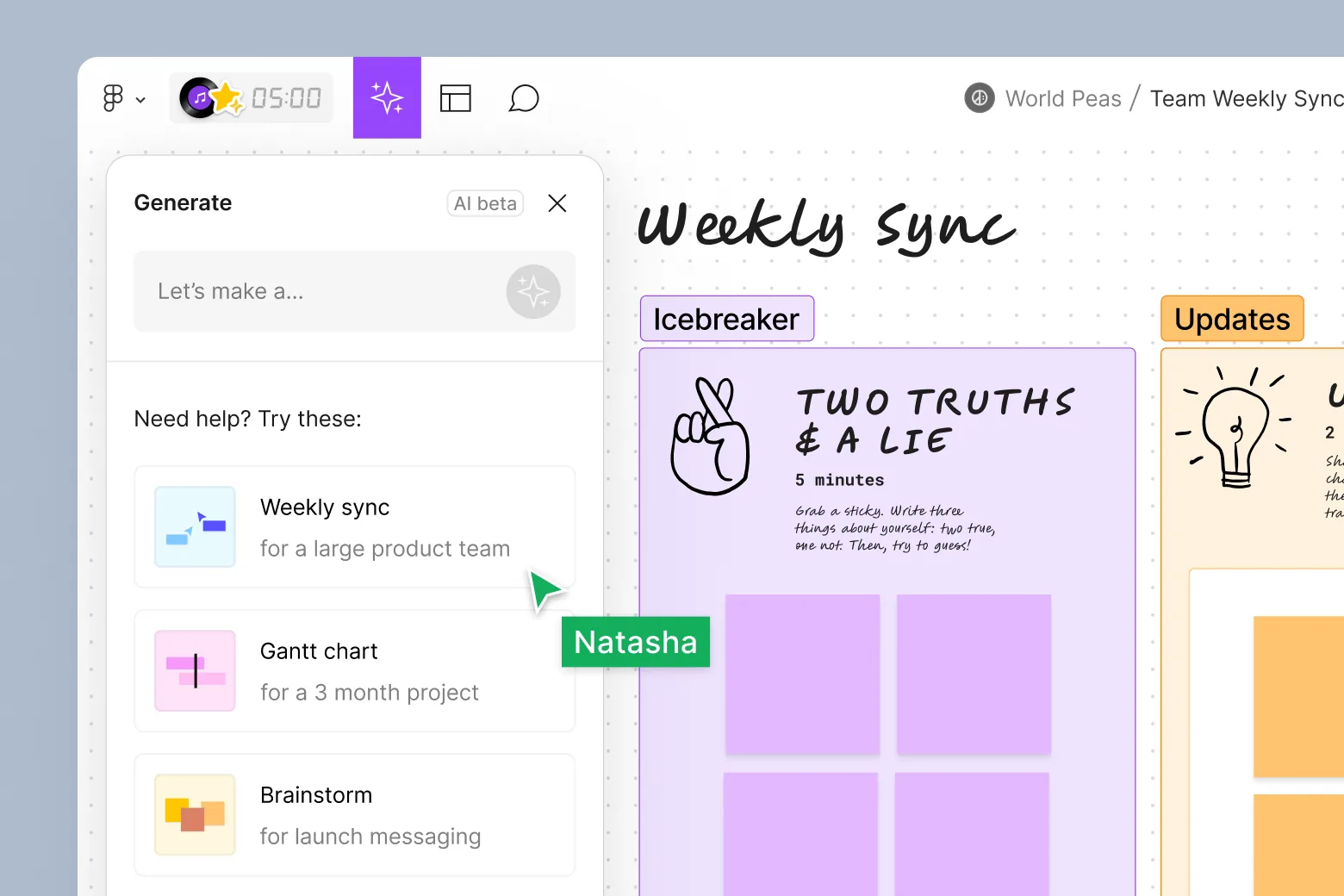
What stands out: it lives inside the Figma ecosystem, so design teams can move from a FigJam session straight into their files.
Price: Figma's free Starter plan includes FigJam with a daily AI credit allowance. On Professional, a Collab seat that includes FigJam starts at $3 a month.
Best for: product and design teams already working in Figma.
Watch out for: the AI helps you run and tidy a session more than it reasons over your sources. AI runs on credits that depend on your seat.
Which apps almost made the list?
- Ponder: an AI research workspace that turns papers, slides and recordings into mind maps and notes. It has a free plan with 50 credits a day, and paid plans from $14 a month billed yearly. It now presents itself as a research workspace more than a canvas.
- tldraw: a source-available canvas SDK for developers, with a free whiteboard at tldraw.com. In October 2026 it launched a plugin that puts a live tldraw canvas next to ChatGPT and Codex. Its earlier Make Real project was archived in February 2026.
- Obsidian Canvas: a free, local-first canvas inside Obsidian. Obsidian is free, including for work, but Canvas has no built-in AI.
- Excalidraw: a free, open-source sketching canvas. The free app includes 10 generative AI requests a day, and Excalidraw+ is $6 per user a month.
- Kosmik: a visual canvas with a built-in browser that often appears on these lists. It announced it would wind down on May 31, 2026, and no longer accepts new sign-ups.
Is ChatGPT Canvas an AI canvas app?
Not in the sense this guide uses. ChatGPT's canvas, like Gemini's Canvas, is an editor that opens next to the chat so you can work on one document or piece of code with the AI. It doesn't give you a free-form board where many chats, notes and sources sit side by side. If that's what you want, our ChatGPT canvas comparison explains the difference.
What about AI canvases for images and video?
A separate group of apps uses "AI canvas" for node-based media generation, where you chain image and video models together on a board. Tools like Figma Weave, Krea, Flora and ComfyUI belong there. Flowith straddles both groups. If your goal is visuals rather than thinking, start with those.
Frequently asked questions
What is an AI canvas app?
An AI canvas app combines an infinite visual board with AI. You place notes, sources and AI chats on the board, and the AI can read some or all of it. The difference from a chat app is that you see your whole problem at once, instead of scrolling one long thread.
What is the best AI canvas app in 2026?
It depends on the job. For deep solo research with control over context and models, Slashspace. For a hosted canvas with AI media, Flowith. For a long-term knowledge base on every device, Heptabase. For team workshops, Miro. For creative planning, Storyflow.
Is there a free AI canvas app?
Yes. Flowith, Miro, Whimsical and FigJam have free plans with limited AI, and Ponder has a free plan with daily credits. Slashspace and Heptabase have no free plan. Storyflow says a free plan is coming before the end of 2026.
Which AI canvas app lets me use my own API keys or local models?
Of the eight here, Slashspace documents both: your own API keys from providers like OpenAI, Anthropic and Google, and local models through Ollama. It can also use a Claude or ChatGPT subscription you already pay for. We didn't find either option documented for the other seven.
Which AI canvas app keeps my work on my computer?
Slashspace saves every canvas as a folder of files on your computer. Obsidian Canvas also stores files locally but has no built-in AI. Heptabase offers offline access, and the rest are cloud apps.
What's the difference between an AI canvas and an AI whiteboard?
They overlap. "AI whiteboard" usually means a team tool like Miro or FigJam, built for live sessions with stickies and diagrams. "AI canvas" more often means a board where AI chats and sources live together and the AI reads what's there, like Slashspace, Flowith or Storyflow.
Can an AI canvas replace ChatGPT?
For exploratory work, often yes, because you can keep many threads, sources and branches visible at once. For a quick question, a regular chat is still faster. Many people use both. If you branch a lot, our guide to the best branching AI chat apps covers the chat side.
The bottom line
The right AI canvas app depends on what you want the AI to see. If you want it to see the whole board and your team with it, Miro and Storyflow are built for that. If you want a knowledge base you curate for years, Heptabase. If you want AI media alongside your canvas, Flowith. If you want to see your whole problem at once and decide exactly what each answer reads, with your choice of models and your files on your own computer, that's what we built Slashspace for. You can download it or compare plans.
Sources
Every page below was read on October 24, 2026.
- Slashspace: why a canvas, branching, connections, models, canvases and folders, pricing
- Flowith: pricing
- Heptabase: pricing, homepage
- Storyflow: pricing, infinite canvas, MCP, its infinite canvas tools review
- Miro: pricing, Miro AI
- Poppy AI: homepage and pricing
- Whimsical: pricing, Whimsical AI
- FigJam: Figma pricing, FigJam AI
- Ponder: pricing
- tldraw: ChatGPT plugin post, Make Real repository
- Obsidian: pricing
- Excalidraw: Excalidraw+ pricing
- Kosmik: homepage (wind-down notice)